Text and images
Edit paragraphs in place, find and replace across the file, add text boxes, check spelling as you type. Move, resize, rotate, replace or extract pictures.

Desktop PDF editor for Windows · Coming soon
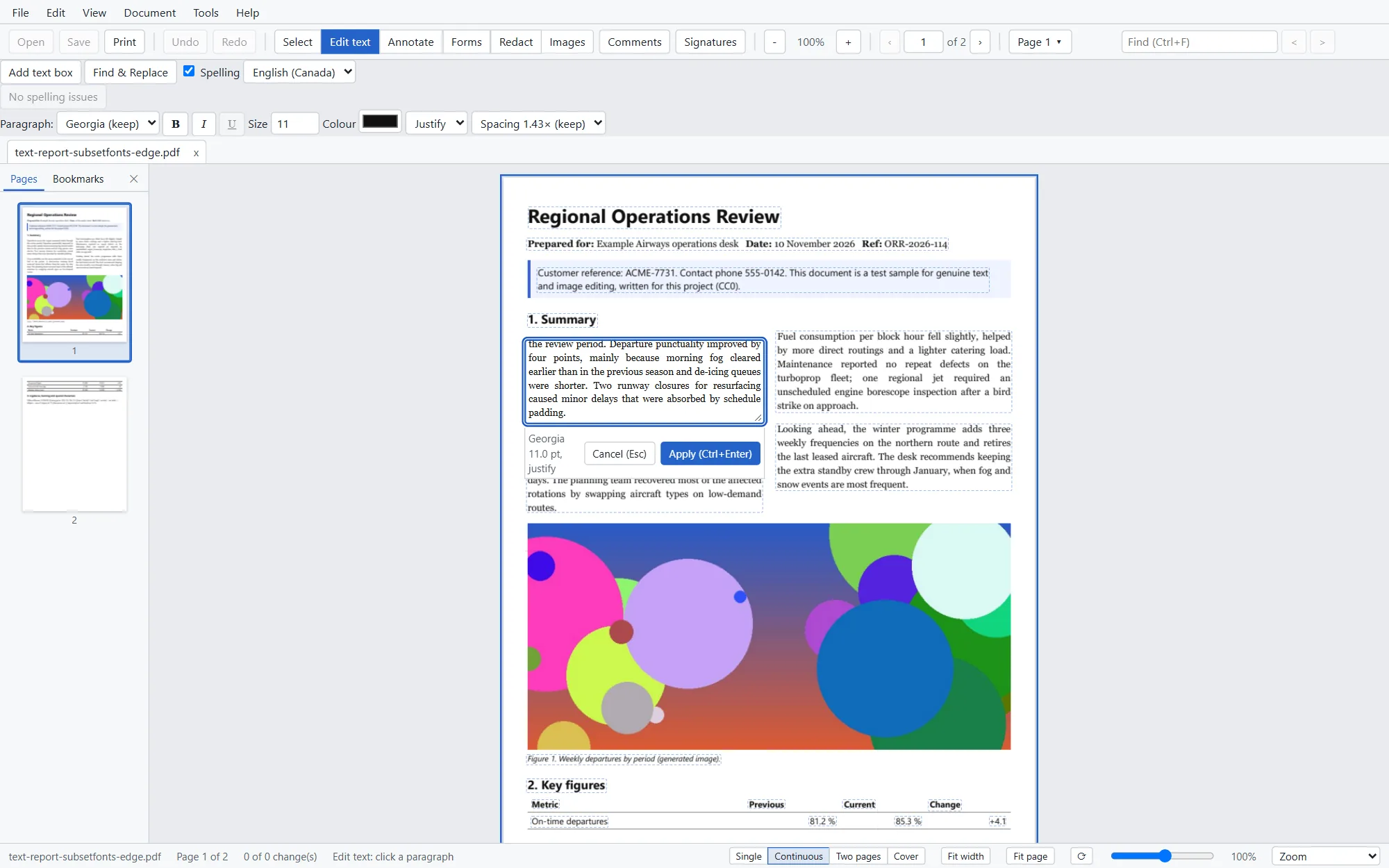
Click a paragraph, retype it, and Folielle reflows the lines in the document's own fonts. No converting to Word and back, no text boxes pasted over the old words.
In development. Price and release date to be announced.
The difference
Most PDF tools either cover old text with a new box or send the file through a word processor. Folielle edits the page itself.
Folielle reads each page as words, lines and paragraphs, even in files that store every letter separately. Click a paragraph and edit it as a whole. The lines wrap again, and the content below moves down if the paragraph grows.
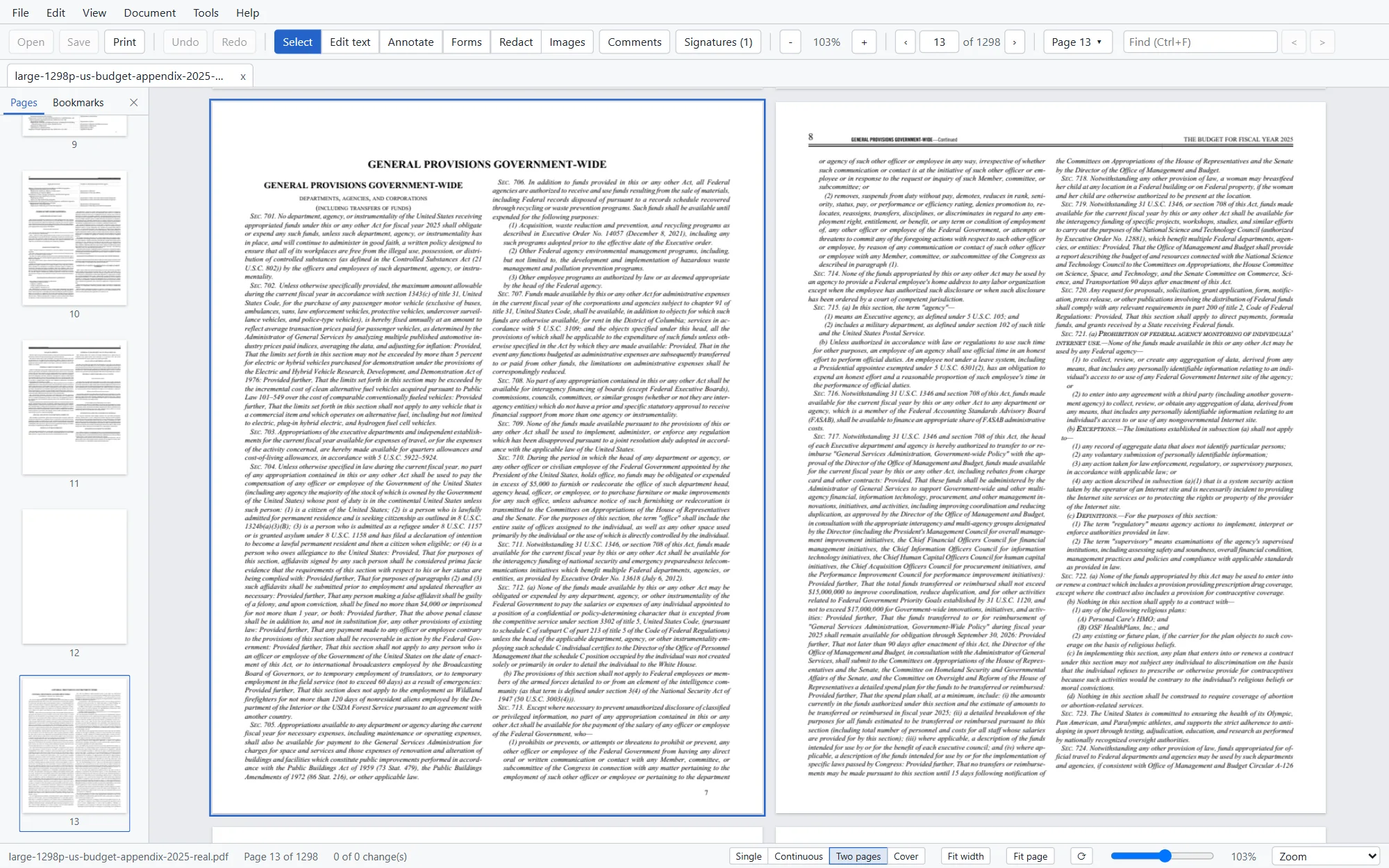
Folielle uses the embedded font when it has the letters you type, and a close match when it doesn't.
A longer cell stretches its row, and the rows below move with it.
Save after a text edit keeps the original bytes and appends the change, so earlier signatures stay valid.
Every save is verified and reopened before it replaces your file. Until you save, your original is untouched.
What it does
The everyday work of an office PDF editor, built into one desktop app.
Edit paragraphs in place, find and replace across the file, add text boxes, check spelling as you type. Move, resize, rotate, replace or extract pictures.
Reorder, rotate, insert, extract and delete pages. Combine files with their bookmarks, split by ranges, size or bookmarks, add headers, footers, watermarks and Bates numbers.
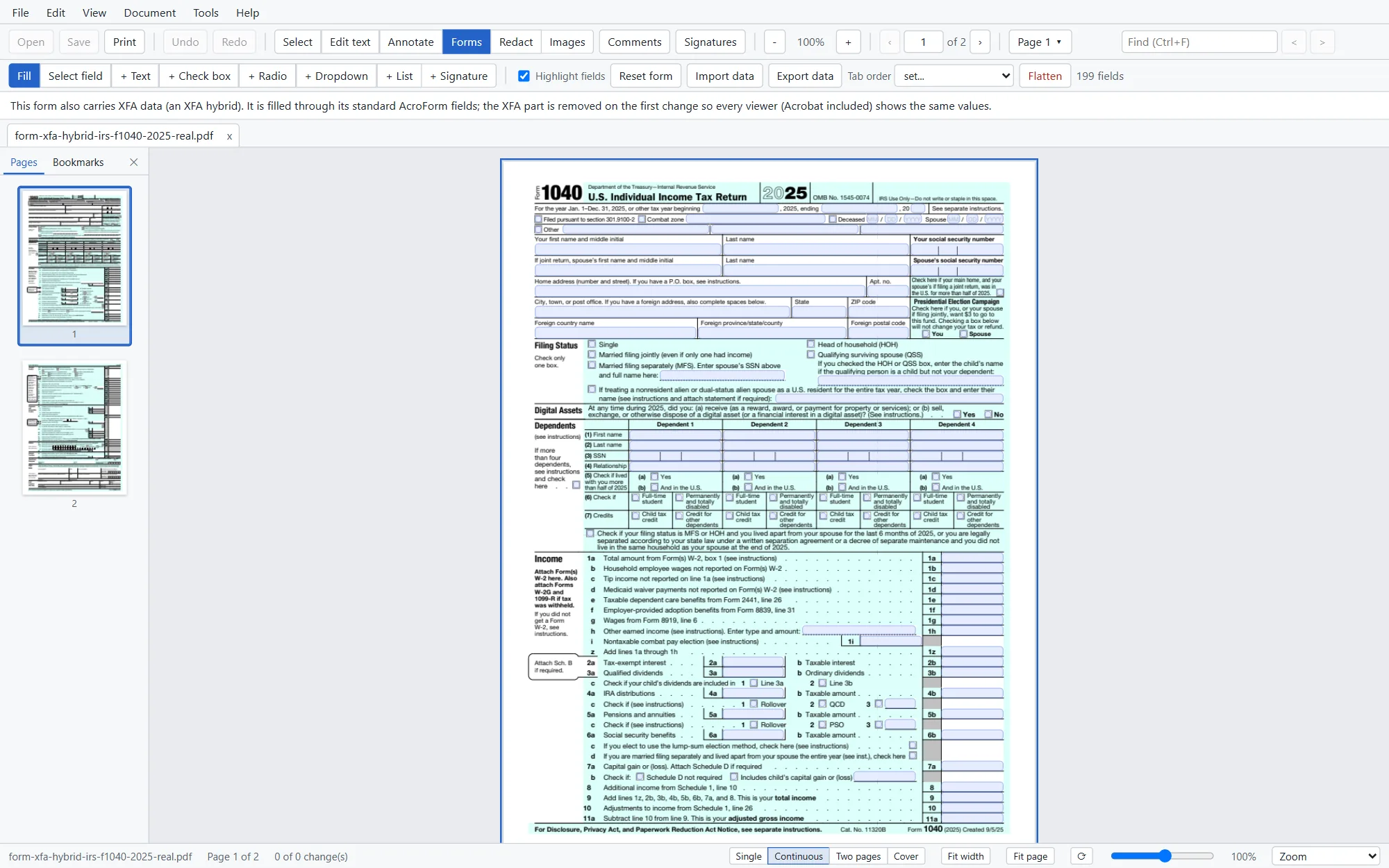
Fill text fields, check boxes, radio buttons and lists. Build new forms, set tab order, import and export form data, and flatten when you're done.
Sign with a certificate from your Windows store, a smart card or a .pfx file. See whether each signature in a file is valid, and what changed after it was signed.
Redaction removes the text, images and drawings underneath, then checks the saved file. Remove hidden information such as metadata, hidden layers, scripts and attachments.
Make scanned pages searchable and selectable. The recognised text goes behind the scan, so the page looks exactly as it did.
Compare two versions page by page: changed words, moved text and visual differences, with a report you can save.
Export to Word, Excel, PowerPoint, HTML, text or images. Create PDFs from images and Office files, or combine several files into one.
Check tags, language, title, alt text and reading order, and fix them. Check PDF/A and save an archival PDF/A-2b copy.
Forms
Type, tick and choose with Tab moving field to field. Dates, numbers, phone numbers and postcodes are formatted the way the form asks, without running the form's scripts. What you type is stored so other PDF readers show it too.
Private by design
Folielle is a desktop app. Opening, editing and saving happen on your own computer, and nothing in a PDF gets to run.
Every editing tool works without an internet connection.
Opening a file never contacts a server, not even to check a signature.
JavaScript, launch actions and links inside a PDF stay inert.
If the PC crashes, Folielle offers your unsaved changes back the next time it starts.
How it compares
A plain comparison with the usual alternatives. Individual products differ; these are the common patterns.
| Folielle | Typical online editor | Convert to Word and back | |
|---|---|---|---|
| Where the file is processed | On your PC | On the provider's servers | On your PC |
| Internet needed | No | Yes | No |
| How existing text is changed | In place, the paragraph reflows | Often a new text box over the old words | In a converted copy; layout can shift on the way back |
| The file you keep | Your PDF, with only the edited text rewritten | A downloaded copy | A newly made PDF |
| Scripts inside the PDF | Never run | Depends on the service | Not carried across |
Questions
A desktop PDF editor for Windows. Its main strength is editing the existing text of a PDF in place, but it also covers forms, signatures, redaction, text recognition, compare, conversion, accessibility and printing.
Folielle is in development and isn't available to download or buy yet. Join the beta list and we'll write when it's ready, with the price and the details.
No. Folielle works on your PC. Opening a file never contacts a server. It goes online only when you ask it to, for example to check a signature's revocation status online or to download an extra text-recognition language.
Not until you press Save. Changes are kept in a recovery copy while you work, and every save is checked before it replaces your file.
Text recognition makes scanned pages searchable and lets you select and copy their text. The scan itself is a picture, so its words aren't edited like typed text.
Text is edited a paragraph at a time; text on rotated pages and vertical Japanese text can't be edited yet, and there's no underline in the text editor. A paragraph that grows past the end of its page isn't moved onto the next page; you get a warning instead.
Folielle is for Windows to begin with. Other systems aren't planned for the first version.
Beta
Write to us and we'll let you know when Folielle is ready to try.
We'll use your email only to tell you about the Folielle beta and launch. Read the privacy policy.